Transform Rooms with the MeetingBar A40 Yealink Solution
Transform your conference rooms with the A40 Yealink Solution. Dual 20MP cameras, AI features, and Teams/Zoom support—available now at our online electronics store.

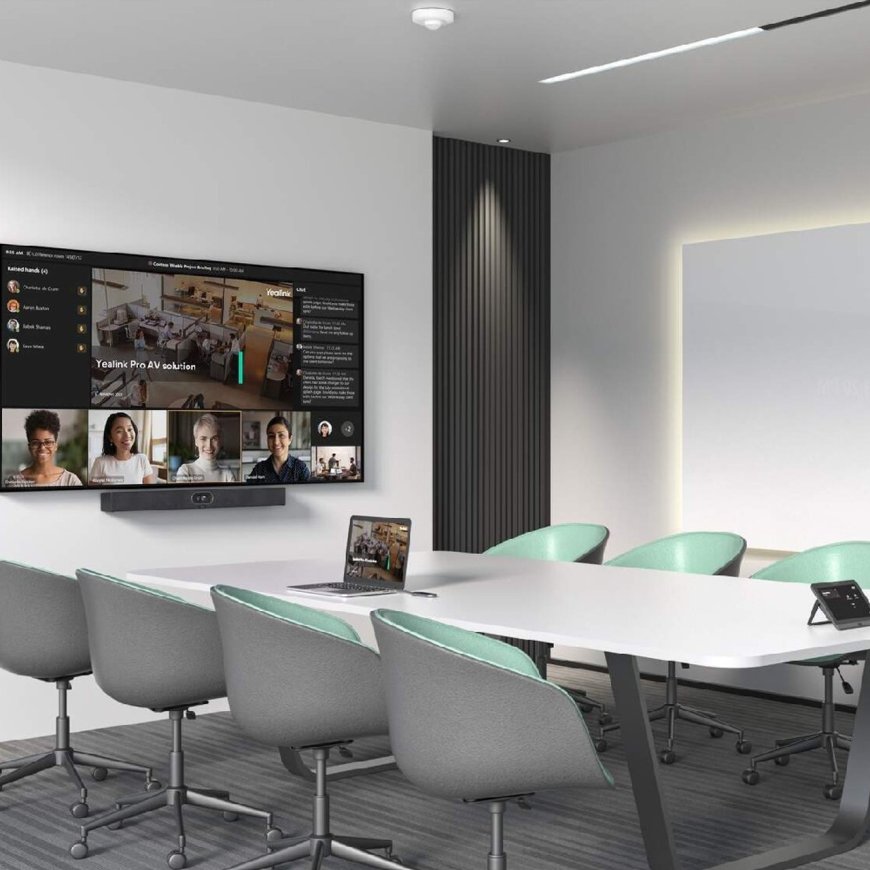
As workplaces continue to adapt to hybrid work models, smart video conferencing has become the cornerstone of productive communication. For companies looking to elevate collaboration in medium to large meeting rooms, the meetingbar A40 Yealink delivers the perfect blend of performance, intelligence, and simplicity.
With its powerful AI-driven camera system, native support for Microsoft Teams and Zoom, and all-in-one design, the meetingbar A40 Yealink transforms traditional meeting rooms into cutting-edge collaboration hubs. In this article, we'll explore the key features, advantages, and setup process of this innovative solution and why you should get it from a trusted online electronics store.
What is the MeetingBar A40 Yealink?
The A40 Yealink is an all-in-one video conferencing bar purpose-built for medium-sized rooms. It integrates a dual-eye 20MP camera system, microphone array, speakers, and a powerful processor into one seamless device.
Certified for Microsoft Teams Rooms (MTR) and Zoom Rooms, this solution eliminates the need for a dedicated PC or third-party hardware. It offers plug-and-play functionality with an intuitive interface, making it one of the most user-friendly conferencing devices on the market.
Top Features of the MeetingBar A40 Yealink
1. Dual 20MP Cameras with AI Intelligence
The meetingbar A40 Yealink includes two 20MP cameras one for panoramic room capture and the other for precise speaker tracking. With AI auto-framing, voice tracking, and multi-focus framing, the camera intelligently adjusts the frame based on the active speaker and number of participants.
2. Crystal-Clear Audio Performance
Equipped with an 8 MEMS microphone array and Noise Proof Technology, the A40 delivers studio-grade audio clarity. Voices are picked up clearly from all corners of the room, while background noise is effectively filtered out for distraction-free conversations.
3. All-in-One Design for Medium Rooms
The meetingbar A40 Yealink removes the complexity of traditional conferencing setups. It merges high-resolution video, high-fidelity audio, and smart processing into a single unit. It supports dual displays, wireless content sharing, and touch panel integration, making it a complete, compact system.
4. Native Support for Teams and Zoom
Designed with enterprise needs in mind, the A40 supports Microsoft Teams Rooms and Zoom Rooms natively. This ensures effortless meeting scheduling, one-touch joining, and consistent user experience across platforms.
5. Android 10 Operating System
With an embedded Android 10 OS, the A40 delivers enhanced security, faster performance, and a modern interface. No external PC is needed, reducing both cost and complexity.
Benefits of the MeetingBar A40 Yealink
-
Optimized for mid-sized conference rooms
-
Smart camera tracking with AI
-
Supports dual 1080p displays
-
Easy installation and management
-
Works out-of-the-box with Zoom and Teams
-
Secure with enterprise-level encryption
Whether you're conducting internal meetings, client presentations, or training sessions, the meetingbar A40 Yealink delivers the tools your team needs to communicate clearly and effectively.
Why Buy from Our Online Electronics Store?
When investing in high-quality conferencing technology, working with a trusted vendor is just as important as choosing the right hardware. Our online electronics store offers genuine Yealink products, expert guidance, and excellent after-sales support.
Why choose our online electronics store?
-
100% authentic Yealink solutions
-
Fast shipping and reliable delivery
-
Expert consultation and setup advice
-
Installation and support services
-
Secure payment options and seasonal deals
When you shop with our online electronics store, you're getting more than just a productyoure getting peace of mind.
How to Set Up the MeetingBar A40 Yealink
Setting up the meetingbar A40 Yealink is designed to be easy and efficient:
-
Mount the device below your conference room display.
-
Connect the power supply and Ethernet or Wi-Fi network.
-
Pair the A40 with a Yealink touch panel (like the CTP18 or CTP20) for complete control.
-
Sign in to your Microsoft Teams or Zoom account.
-
Test video and audio settings for optimal performance.
-
Join or schedule meetings with one touch.
Thats it! Your meeting room is now a modern collaboration space.
Final Thoughts
The meetingbar A40 Yealink stands at the intersection of smart design and powerful performance. Its the ideal system for organizations seeking to modernize their meeting rooms without adding complexity or cost.
With its intelligent camera system, crystal-clear audio, and seamless compatibility with leading platforms, the meetingbar A40 Yealink helps your team collaborate better, faster, and smarter. Backed by the trusted support of our online electronics store, it's the investment your business needs to stay ahead.
Frequently Asked Questions (FAQs)
Q1: What room size is the MeetingBar A40 Yealink best for?
A: Its optimized for medium-sized meeting rooms, generally accommodating 612 participants.
Q2: Do I need a PC to use this solution?
A: No. The device is fully standalone with a built-in Android 10 OS and native app support for Teams and Zoom.
Q3: Can I manage the A40 remotely?
A: Yes, the device supports Yealink Device Management Platform for remote monitoring, updates, and configuration.
Q4: Does it support content sharing?
A: Absolutely. It supports wireless content sharing through the Yealink WPP30 (sold separately) and native features on Zoom and Teams.
Q5: Where can I purchase the MeetingBar A40 Yealink?
A: You can purchase it from our online electronics store for guaranteed quality, expert assistance, and fast delivery.