How to Use the Silhouette Cameo Cutting Machine for Your Craft Business
Learn how to use the Silhouette Cameo cutting machine to boost your craft business with custom designs, efficient cutting, and creative possibilities.
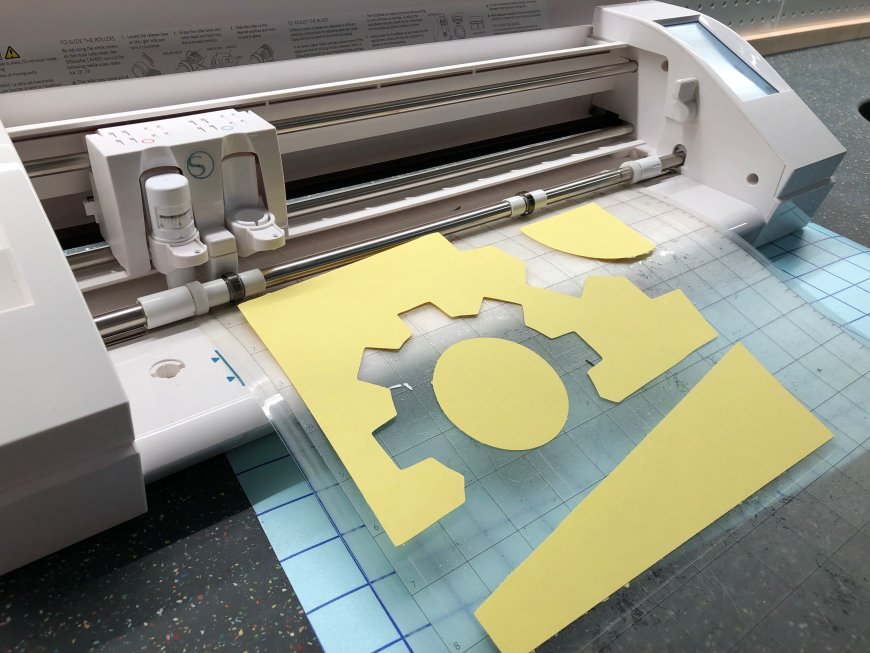
The right equipment can mean a huge difference for those who have or are thinking of launching a craft business. One of the most useful tools that the market offers today is the Silhouette Cameo cutting machine. The installation is hassle-free. Also, it takes up little space and lets you easily make design cuts of your own.
The device is ideal for stickers, decals, personalized t-shirts, or custom packaging, and it can do the same and even more with the accuracy that scissors will never have. Keep reading to find out how you can utilize the cutting machine for craft business-related needs.
What Can the Silhouette Cameo Actually Do?
To put it simply: this device performs cutting functions. But it does it in an extraordinary way.
The process is fairly straightforward; you connect it to your computer, load your design using the free software that is included with the machine, decide the material that you will use (vinyl, paper, or fabric), and hit Cut. That's it! The machine takes care of the rest.
Besides, it is not only about cutting shapes that are pleasing to the eye. This gadget can be your partner in making products faster, with a lesser degree of error and plenty of style. That's a huge perk if you intend to sell your work either online or at markets.
A Silhouette cutting machine like Cameo is great for beginners because of the inherent user-friendliness. Still, it is also quite good for the experienced ones who want to scale up production without having to hire new staff.
Setting It Up: No Tech Degree Needed
Even if you are not that good with technology, the Cameo is quite user-friendly. Unbox, plug it in, and download Silhouette Studio from their website. The program guides you through and through, and to tell the truth, you may need less than 30 minutes to get it going.
You can also use a Bluetooth setup if that is more convenient for you instead of wires. And yesboth Windows and Mac are supported.
Lets Talk Materials
This is where the fun starts. You can cut:
-
Vinyl: For mugs, windows, laptops, walls, etc.
-
Heat Transfer Vinyl (HTV): Just right for shirts and tote bags
-
Sticker Paper: In case you want to sell planner stickers or product labels
-
Cardstock or Paper: Use it for gift tags, packaging, or handmade cards
-
Fabric: If you have a stabilizer and use the correct blade
So, if your business idea is about producing custom products, then most likely, this one machine will be enough to turn your idea into reality.
Using the Machine: From Design to Final Product
Here's the typical process:
-
Launch Silhouette Studio. Either create a new project or upload a design file (SVGs are perfect).
-
Decide the type of your material. This is for the machine which sets the depth of the cut and the speed of the operation.
-
Now, put your material on the cutting mat (except if you are doing a matless cut, like with rolled vinyl).
-
Load the mat into the machine. Its vital to ensure that the mat is aligned properly.
-
Hit Send. The machine will do the cutting, while you relax (or go grab a coffee or something).
Once the cutting part is over, you will have to remove the excess from your design. The main idea here is to drop the extra, unnecessary parts, so only the design remains. Vinyl requires an additional step of using transfer tape. In the case of HTV, the heat press or iron will do it.
What You Can Craft and Sell
With a bit of practice, the possibilities really start opening up. You could build a product line around:
-
Custom t-shirts
-
Vinyl decals
-
Stickers
-
Handmade greeting cards or wedding invitations
-
Tailored drinkware
-
Unique packaging
The number can go on. And since the cuts are neat and precise, your final products will have a professional lookeven if they were made at your kitchen table.
Tips to Work Smarter, Not Harder
Running a small business is really all about conserving time and avoiding do-overs. Here is a list of a few tricks that we have learned with our own experience (sometimes the hard way):
-
Always do a test cut. This is particularly important when using a new material. It saves you from wasting an entire sheet and only takes a minute.
-
Organize your files. When you're managing orders or batch work, it's obvious how naming your files helps.
-
Swap out your blade and mat when necessary. A dull blade will produce awkward cuts, and a damaged mat will not hold materials properly.
-
Do your work in batches. Cutting ten decals at once is quicker than cutting each one separately.
-
Make use of adequate lighting, particularly when weeding tiny text or complex shapes.
You can accomplish more without burning out by forming these small habits over time.
Why Should You Invest in a Silhouette Cameo Cutting Machine?
You can run a craft business without any fancy equipment, but you will still end up working more. You will commit more errors, and, at worst, you might find yourself forced to turn down some orders because there wont be enough time to finish them.
The Silhouette Cameo is the ideal solution to this problem. It is time-efficient. It can be cut without any issues. Also, it helps you scale from hobbyist to seller without skipping a beat.
With Silhouette machines, you have the opportunity to diversify your product range. You could, for instance, make party favors one week, and then do a large order of shirts the next week. One of the main reasons people stick with it is its flexibility.
Features That Make Silhouette Machines So Versatile
Silhouette machines are a strong choice for craft businesses. It is because they work with a variety of materials. Some of these are vinyl, paper, and fabric. These machines come equipped with the following features that make things easier, no matter the material type:
-
One can save time and reduce errors by using the AutoBlade feature, which automatically adjusts the cutting depth.
-
Models with a dual carriage let you sketch and cut or score in one step, boosting efficiency.
-
When it comes to fabric work, the rotary blade assures gentle treatment of delicate fabrics and, therefore, friction is minimized.
-
Paper crafters benefit from tools like the PixScan mat, which allows precise cuts around printed or hand-drawn designs.
These features enable you to improve your product line and produce expertly crafted, highly polished outcomes.
Wrapping Up
The Silhouette Cameo is a true asset if you're trying to manage an effective and lucrative craft business, not just a nice-to-have device. It enables you to confidently take on more orders, maintain organization, and deliver quality.
You dont have to be a tech expert. You dont need a big workshop. A solid idea, a little perseverance, and the courage to try something different are more than enough.
Ready to make products that stand out? Start crafting now with the Silhouette Cameo!